 NoNoise
NoNoise
NoNoise
Follow this complete guide to build a powerful vision board that actually manifests your goals. Simple steps, proven techniques, lasting results.
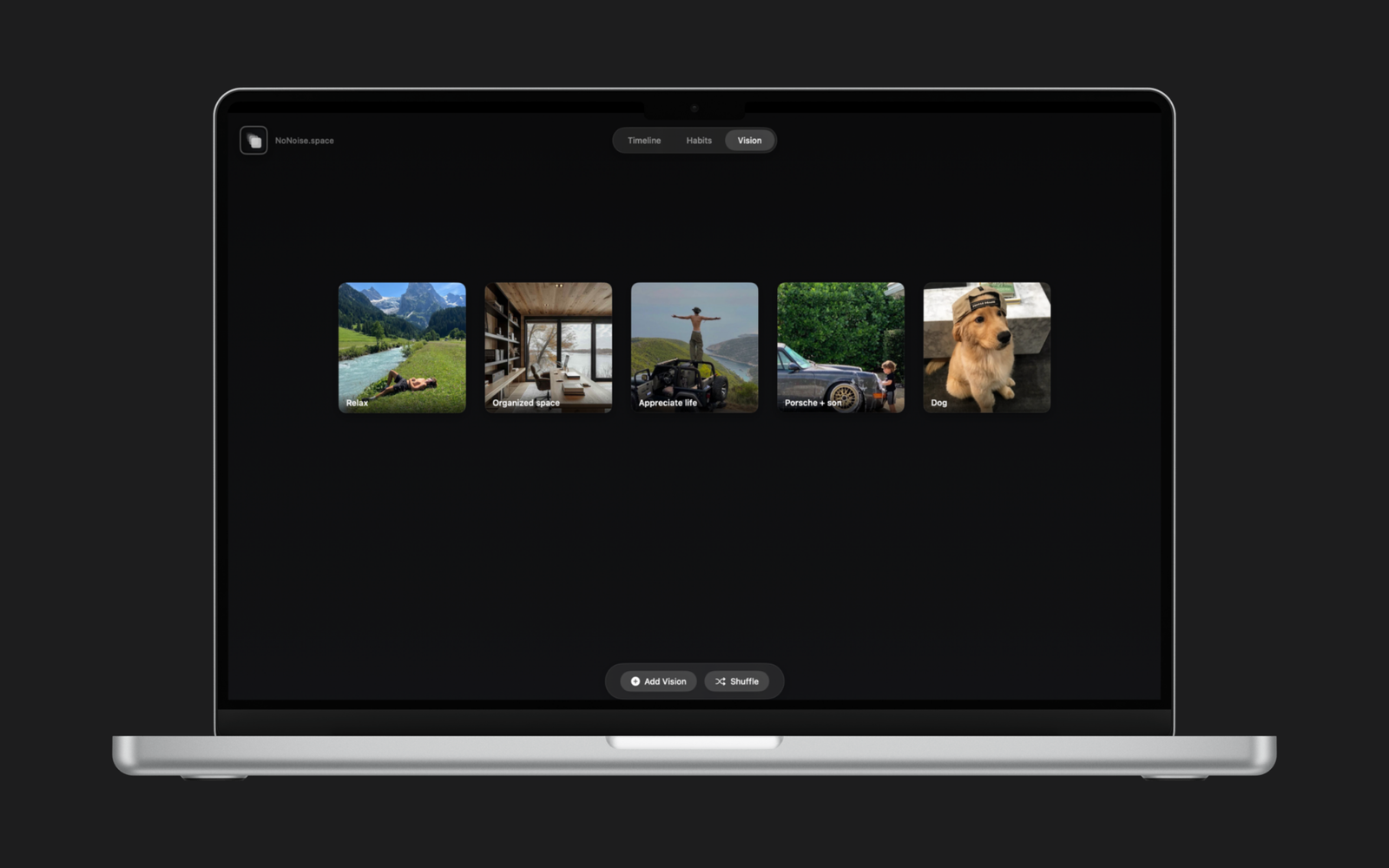
A clear process for building a vision board that works
Before adding images, define exactly what you want. Vague wishes ("be successful") don't work. Specific goals ("launch my business by June") do. Write down 5-10 concrete goals across different life areas: career, health, relationships, travel, personal growth.
Organize your vision board into themes. Common categories: Career & Business, Health & Fitness, Relationships & Family, Travel & Adventure, Financial Goals, Personal Development. This structure prevents overwhelm and ensures balanced life focus.
Search for images that represent your goals achieved. Not aspirational—representational. If your goal is "run a marathon," find a photo of someone crossing the finish line with joy. Your brain needs to SEE the end state, not the journey.
Combine images with text. Single powerful words ("Confidence," "Freedom," "Abundance") or short affirmations ("I am a published author," "I live debt-free"). Keep it present tense—your brain responds to "I am" not "I will be."
Layout matters. Group related goals together. Make important goals larger or more central. Use colors that evoke emotion. Your vision board should feel energizing, not cluttered. Balance is key—white space is powerful.
A vision board in a drawer is useless. Put it where you work, where you start your day, where you can't avoid it. Digital vision boards on your Mac desktop are perfect—you see them every time you open your computer.
Don't just glance at your board—engage with it. Spend a few minutes each morning looking at each image, feeling what it would be like to achieve that goal. This daily visualization is where the magic happens.
Goals change. Achievements happen. Update your vision board regularly—monthly or quarterly. Remove achieved goals (celebrate first!), add new ones, refine images. A static board loses power over time.
Mistake #1: Too many goals. Trying to manifest 50 things at once dilutes focus. Start with 5-10 core goals.
Mistake #2: Vague imagery. Random pretty pictures don't work. Each image must represent a specific goal outcome.
Mistake #3: Set and forget. Creating the board is 10% of the work. Daily visualization is the other 90%.
Mistake #4: Only material goals. Cars and houses are fine, but don't forget relationships, experiences, and personal growth.
Mistake #5: No emotional connection. If looking at your board doesn't make you feel something, the images aren't right.
Each image represents a measurable goal. Not "be healthy" but "run 5K" or "eat vegetables daily."
Looking at your board should spark excitement, motivation, or peace. No emotion = no power.
You'll look at this daily. Make it aesthetically pleasing. Use good images, thoughtful layout, appealing colors.
All career goals? Add relationships and health. All material? Add experiences and growth.
Include target dates or timeframes. "This year," "By 30," "Next summer"—specificity increases likelihood.
Updated regularly as you achieve goals and clarify new ones. Growth means evolution.
Traditional poster boards require physical materials, wall space, and can't be easily updated. Digital vision boards offer modern advantages:
Instant updates: Achieved a goal? Replace it in 30 seconds.
Always visible: On your Mac where you spend hours daily.
Unlimited images: Not limited to what's in magazines. Use any image from anywhere.
Private: No need to explain your dreams to roommates or visitors.
Organized: Easy categories, clean layout, professional look.
NoNoise makes it simple to create a beautiful, effective vision board on your Mac. Start visualizing your future today.
Download NoNoise for MacYour vision, visualized